Mastering AI Note-Taking: A Smarter Way to Run Meetings and Save Time
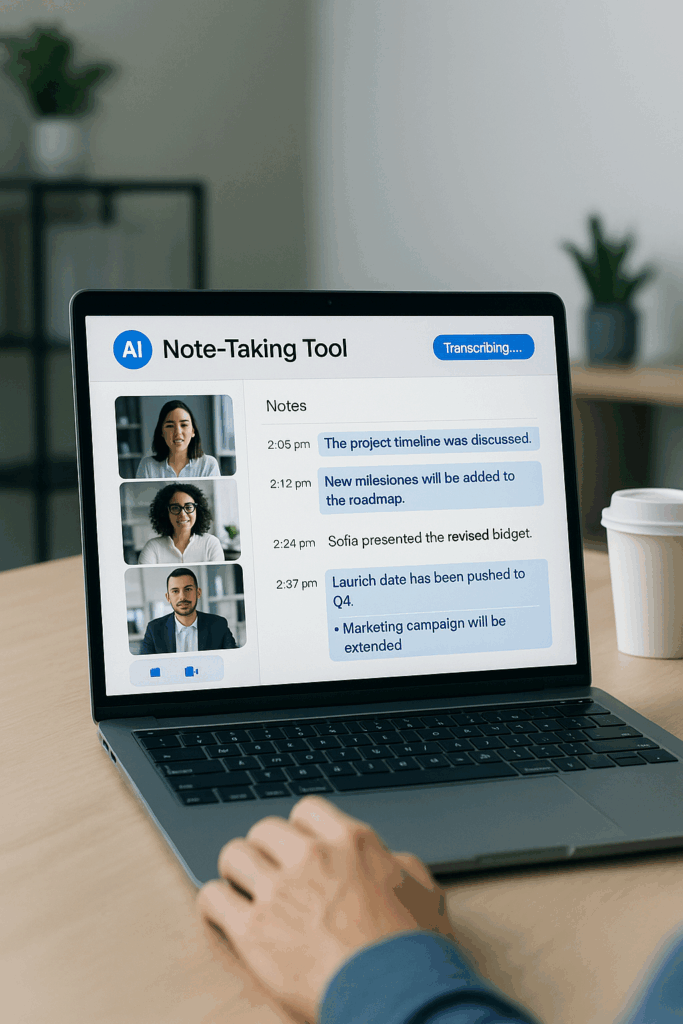
Welcome to the Future of Smarter Meetings
If you’ve ever felt overwhelmed trying to keep up with meeting notes while staying fully present, you’re not alone. Our attention starts to dip just 10 to 18 minutes into a meeting—not because we’re not paying attention, but because our brains aren’t built to listen, participate, and write notes all at once.
That’s where AI note-taking tools come in. At Productivity Loop AI, we believe in working smarter, not harder. By offloading the cognitive load of note-taking to AI, you can focus on building stronger relationships and making real-time decisions—without losing track of the details.
Why AI Note-Taking Tools Are a Game Changer
Imagine having a reliable assistant that not only records every word in a meeting but also summarizes the key takeaways without missing a beat. That’s the value AI note-takers bring. They help you:
Stay fully engaged in the conversation
Eliminate the scramble to write everything down
Turn conversations into searchable, usable assets
Whether you’re a busy entrepreneur, a student managing lectures, or a consultant running multiple client meetings, these tools give you more time to focus on what matters most.
🔍 Want to get more out of your meeting transcripts?
Let us help you turn AI-generated notes into repeatable assets that drive growth.
👉 Explore our automation setup services →
Top AI Note-Taking Tools Compared
Here’s a quick overview of three AI tools that are making waves:
1. Fireflies.ai
Features: Automated transcription, meeting summaries, task detection, and integrations with Zoom, Google Meet, and more
Best for: Busy professionals needing quick, actionable summaries and CRM integration
Pricing: Free plan available; paid plans with expanded features
Website: https://www.fireflies.ai/
My Affiliate Link : https://fireflies.ai/?fpr=productivity-loop-ai
2. Otter.ai
Features: Live transcription, multi-speaker recognition, keyword search, and real-time collaboration
Best for: Students and teams who need clean transcripts and group access
Pricing: Tiered pricing from free to premium for advanced features
Website: https://otter.ai/
3. Fathom
Features: Meeting highlights, summaries, and seamless export to tools like Notion and HubSpot
Best for: Individuals and small teams looking for smart summaries without fluff
Pricing: Free for individuals, with options for teams
Website: https://www.fathomhq.com/
These tools may look similar on the surface, but the key is matching them to your workflow and budget.
Going Beyond Notes: Becoming a Power User
These tools aren’t just about transcription—they’re springboards for growth. Here’s how you can unlock their full potential:
➤ Turn Conversations into Content
Transcripts can be transformed into blog posts, training guides, social media snippets, or email templates. One meeting can fuel a week’s worth of content.
➤ Systematic Self-Improvement
Replay sales calls or interviews to refine your delivery and message. Spot patterns, highlight what works, and continuously sharpen your skills.
➤ Accelerated Learning for Students
Students can use transcripts to create study guides or quiz material. With timestamps and smart summaries, revision becomes far more efficient.
AI tools aren’t just about saving time—they help you scale your knowledge, your communication, and your output.
Avoid These Common Mistakes
Even the smartest tool won’t help if it’s used incorrectly. Here are a few pitfalls to avoid:
Recording Everything Blindly – Capturing every conversation without intent leads to clutter. Use recordings purposefully.
Poor Audio Quality – Background noise, echoes, or overlapping speech can reduce transcript accuracy. Use quality mics and quiet environments.
Skipping Consent – Always ask for permission before recording meetings, especially with external clients or teams.
Ignoring the Review Process – A transcript is only valuable if you use it. Set aside time to read, tag, and summarize key points post-meeting.
Not Backing Up Data – Don’t rely solely on the platform. Export transcripts and store them in your central documentation system.
⚠️ Not sure if your AI note-taker is set up right?
Avoid common pitfalls with expert guidance from Productivity Loop AI.
✅ Book a free workflow review →
How AI Note-Taking Boosts Productivity
Integrating these tools into your daily routine can:
Reduce post-meeting admin
Improve communication within teams
Capture learnings for future onboarding and training
Allow better focus during real-time discussions
At Productivity Loop AI, we help you implement these tools not just as add-ons, but as central parts of your automation ecosystem.
Getting Started with AI Note-Taking
Want to try this out? Here’s how to begin:
Pick a Tool – Choose from Fireflies, Otter, or Fathom based on your workflow
Set It Up – Integrate with your calendar or meeting platform
Test a Call – Run a trial meeting with yourself or a colleague
Review the Output – Evaluate accuracy, summary features, and usability
Build a Habit – Incorporate it into your daily work. Then start tagging, summarizing, and reusing transcripts for multiple purposes
Final Thoughts
AI note-taking is more than just automation—it’s a shift in how we interact with our time and information. These tools give you the space to be present, the structure to stay organized, and the flexibility to repurpose insights across your entire business or study journey.
With Productivity Loop AI, our goal is to make this transition seamless. Whether you’re just starting out or looking to fully embed AI into your communication processes, we’re here to guide you every step of the way.
Let’s make your meetings work for you—not the other way around.
📈 Ready to integrate smarter tools into your business routine?
Start building your productivity stack with support from Productivity Loop AI.
🎯 Get started with a free consultation