How to Implement a Chatbot for Your Business
Ever feel like your inbox is starring in a never-ending soap opera? Customer questions popping up nonstop, the same queries on repeat, and your team ready to wave the white flag? Enter the chatbot — your business’s tireless sidekick who never sleeps, never complains, and always responds right on cue. Implementing one might seem techy-scary, but believe me, it’s easier than assembling IKEA furniture (and far less frustrating).
Let’s dive into how to implement a chatbot for your business — no coding wizardry required.

Why Use a Chatbot?
Before imagining a robot stealing your job, let’s highlight why chatbots are the trusty sidekick every business needs:
- 24/7 Availability: Customers don’t all operate on a 9-to-5 schedule. Your chatbot works like a night owl librarian — always ready to answer, no coffee needed.
- Efficiency: That one question asked a million times? Let the bot handle it while your team tackles the tougher issues. Multitasking level: expert.
- Cost-Effectiveness: Hiring more staff means more payroll expenses. Chatbots save money by automating repetitive tasks.
- Personalization: Advanced chatbots remember customer preferences, like their favorite products — making interactions feel personal and helpful.
If your chatbot were a superhero, it’d be “Captain Convenience.”
Curious where AI could fit in your business? **Book a free 30-minute automation audit.
📩 darrenjohns@productivityloop.ai
Step 1: Define Your Goals
Don’t just launch your chatbot and hope for the best. Ask yourself:
- What questions should it answer? (e.g., “Is the avocado ripe?” or “Where’s my order?”)
- Will it serve as customer service, sales assistant, or website guide?
- What tone should it have — formal or friendly?
Defining this upfront is like mapping before a treasure hunt — more success, less confusion.
Step 2: Choose the Right Chatbot Platform
Select a platform that matches your needs:
- No-Code Platforms: Like Chatfuel or ManyChat — easy drag-and-drop builders requiring no technical knowledge.
- AI-Powered Solutions: Such as Dialogflow or Microsoft Bot Framework, enabling natural conversations.
- Custom Chatbots: For specific needs and deeper customization, develop a bot from scratch with professional help.
Pro tip: Choose a platform that offers performance analytics — data drives improvement.
Step 3: Design Conversational Flows
Avoid robotic, textbook responses:
- Compile common customer questions like a playlist of hits.
- Use Natural Language Processing (NLP) if available — it helps the bot understand slang, typos, and unique queries.
- Always provide a “talk to a human” option for complex issues.
Example:
User: “What are your store hours?”
Bot: “We’re open Monday to Friday, 9 AM to 6 PM. Need more help or want to chat with a real person?”
Polite, helpful, and simple — just like good customer service.
Step 4: Integrate the Chatbot with Existing Systems
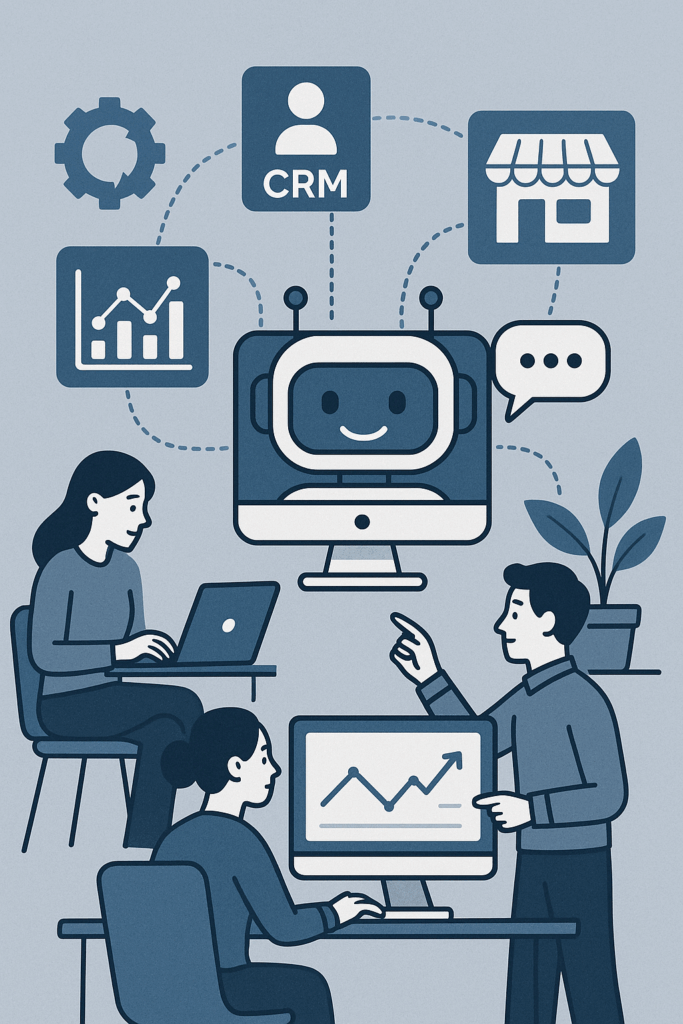
Make your chatbot truly useful by integrating it with:
- CRM Systems: So it recognizes customers without repeated questions.
- E-commerce Platforms: Assisting customers with order tracking and product info.
- Analytics Tools: To monitor performance and user behavior.
Seamless integration transforms your chatbot from gimmick to game-changer.
Step 5: Test Your Chatbot
Like any good project, testing is crucial:
- Launch it to select users — co-workers, friends, loyal customers.
- Collect feedback to fix misunderstandings and glitches.
- Refine until interactions feel smooth and human-like.
Nobody wants a chatbot stuck in endless loops or giving irrelevant answers.
Step 6: Monitor and Improve
Launching is just the beginning:
- Regularly review analytics to identify drop-offs or confusion points.
- Solicit user feedback continuously.
- Update conversations, refine responses, and add new features regularly.
Treat your chatbot like a beloved pet — with care and attention, it’ll delight your customers.
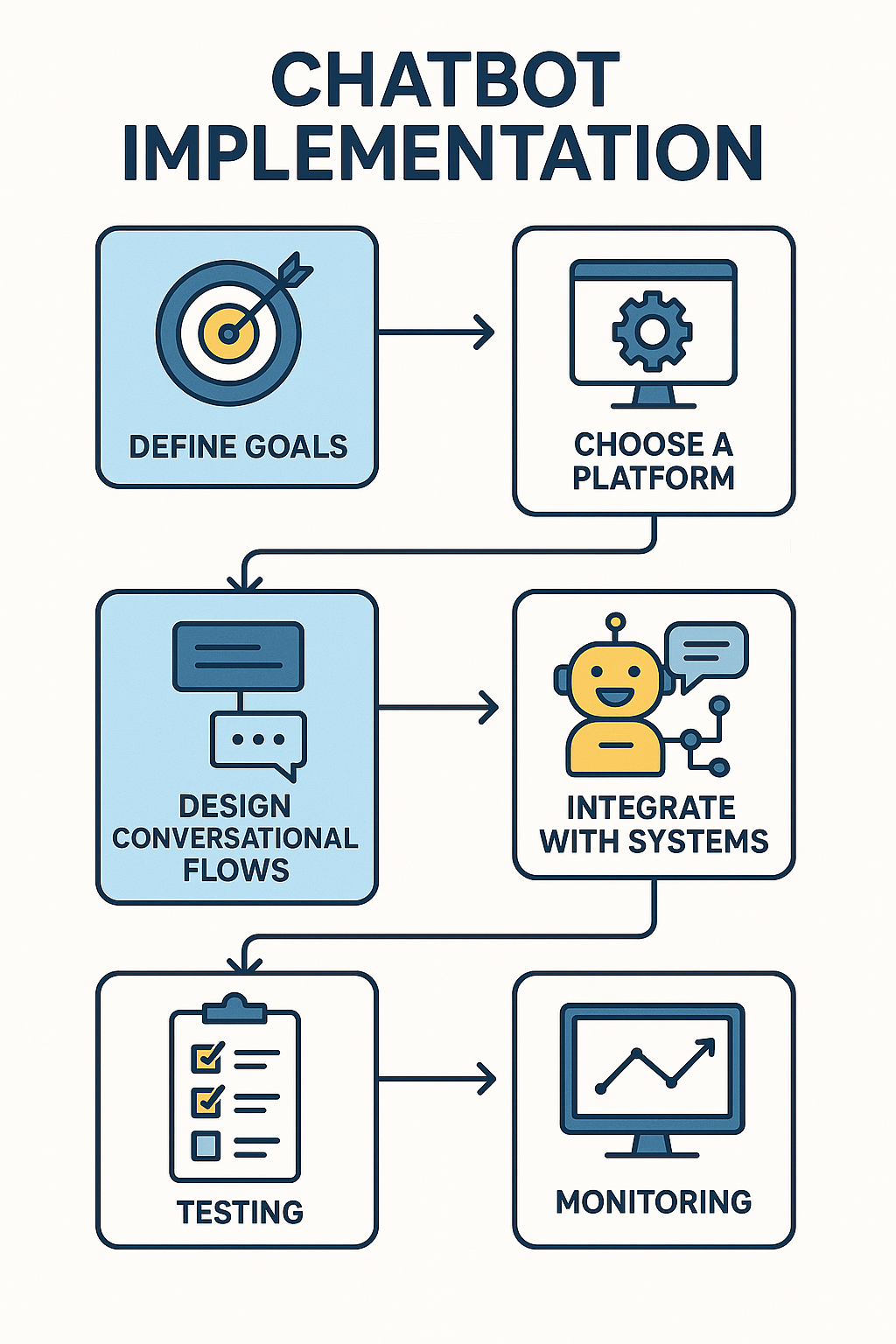
Here’s the quick recap: Define clear goals, pick the right chatbot platform, design engaging flows, integrate with your systems, test thoroughly, then monitor and improve.
Ready to implement a chatbot tailored for your business? Reach out — I’m here to help you step up your customer service game with smart chatbot solutions.
Q&A: How to Implement a Chatbot for Your Business
Q1: Why should my business use a chatbot?
A: Chatbots offer 24/7 availability, improve efficiency by handling repetitive queries, save costs compared to hiring additional staff, and can provide personalized interactions that enhance customer experience.
Q2: How do I define goals before implementing a chatbot?
A: Identify the main purpose of the chatbot (customer service, sales, website guidance), determine the questions it should answer, and decide on the tone of its communication—friendly or formal. Clear goals make implementation smoother.
Q3: Which chatbot platform should I choose?
A: Options include no-code platforms like Chatfuel for simple setups, AI-powered solutions like Dialogflow for natural conversation, or fully custom chatbots for advanced, tailored functionality. Consider analytics features for ongoing improvement.
Q4: How should I design conversational flows?
A: Compile common customer questions, use NLP if available to handle slang and typos, and always offer an option to escalate to a human agent. The goal is to make conversations feel helpful, polite, and human-like.
Q5: What steps ensure my chatbot continues to improve?
A: Test the bot with real users, collect feedback, monitor analytics to identify drop-offs, refine responses, and update features regularly. Continuous monitoring keeps the chatbot effective and engaging.
Curious where AI could fit in your business? **Book a free 30-minute automation audit.
📩 darrenjohns@productivityloop.ai